EMI is an item and recipe viewer that keeps crafting information close to your inventory. Search for any block or item, open its recipe page, and immediately see how it is made or where it is used. This is especially useful once a world has many different materials, machines, and crafting paths.
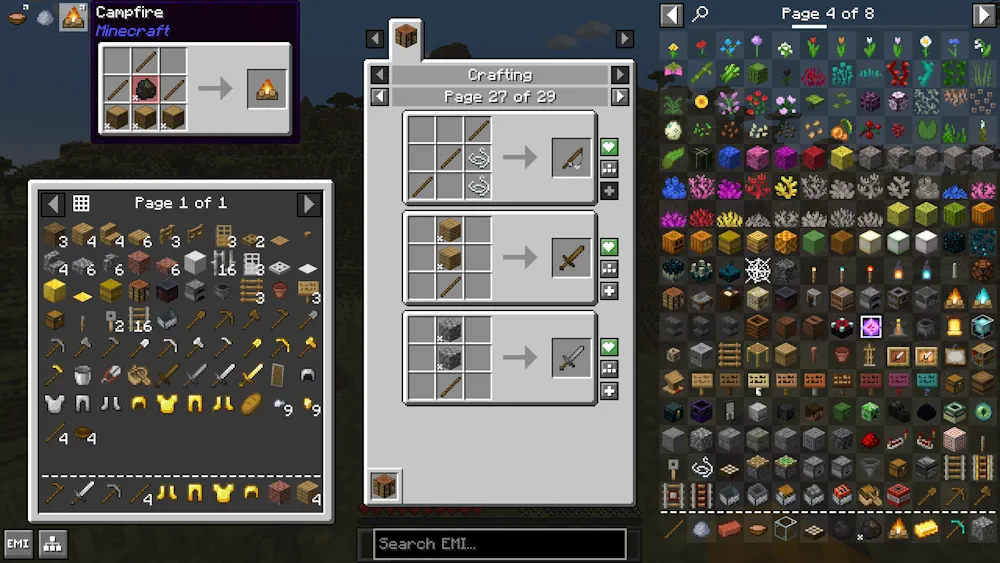
The search field handles more than exact item names. It helps narrow a large item list quickly, while the item panel gives you a direct starting point for checking recipes, uses, and related ingredients. You spend less time guessing which station or component is missing.
Search Recipes and Track Useful Items
Click an item to inspect its recipe, then follow its ingredients one step at a time. EMI also lets you favorite items and recipes, placing them in a sidebar for quick access. Keep building parts, tools, or frequently crafted resources there instead of searching for them again whenever you open your inventory.
Plan Larger Crafting Projects
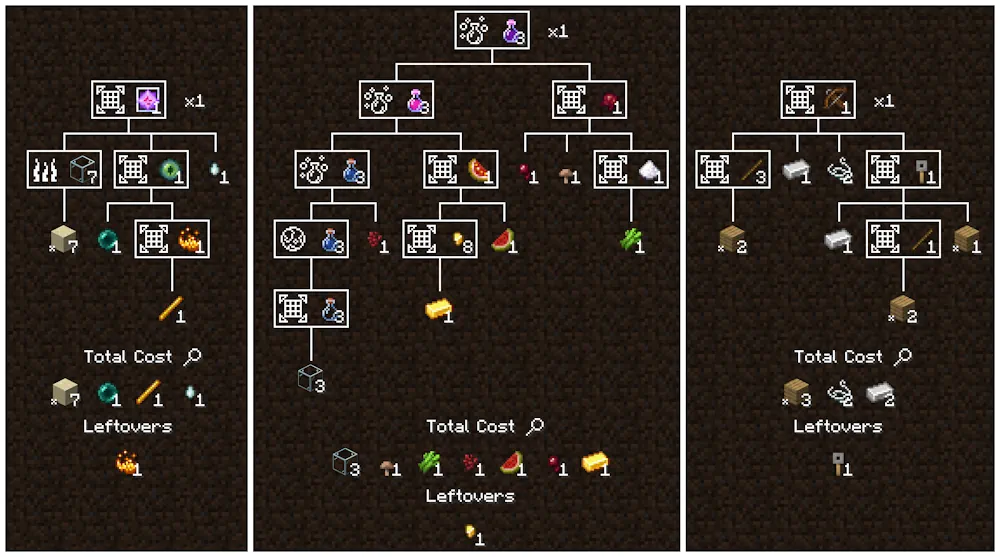
For complex recipes, EMI’s recipe tree breaks a finished item into the materials and intermediate parts needed to make it. It shows the full crafting path, counts base ingredients, and helps reveal what remains after each step. This makes it easier to prepare for a larger build without repeatedly opening separate recipe pages.
Screenshots
How to Install EMI
- Download the EMI file for your Minecraft version.
- Move the .jar file into your Minecraft mods folder.
- Launch Minecraft and open your inventory to use EMI.