Waystones adds teleport stones that players can place, name, and link into a fast travel network. It replaces long walks between bases, villages, and farms with a single menu, and works well in Survival worlds, adventure maps, and multiplayer servers.
Travel Between Places in Seconds
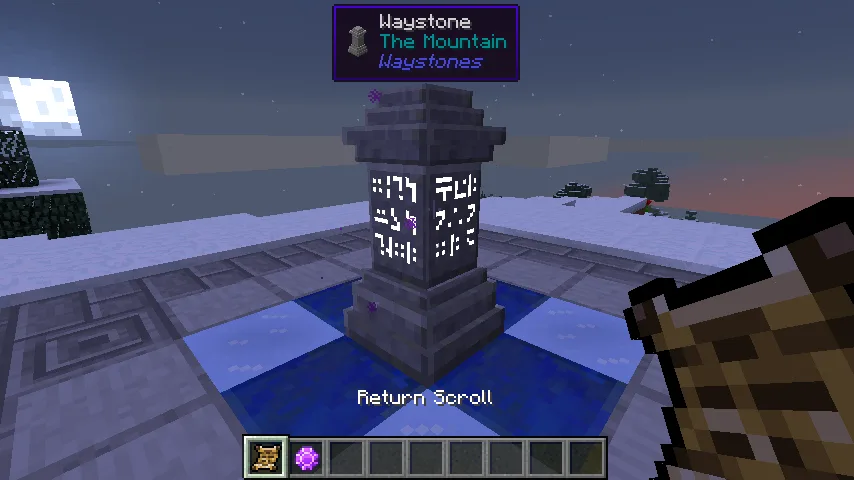
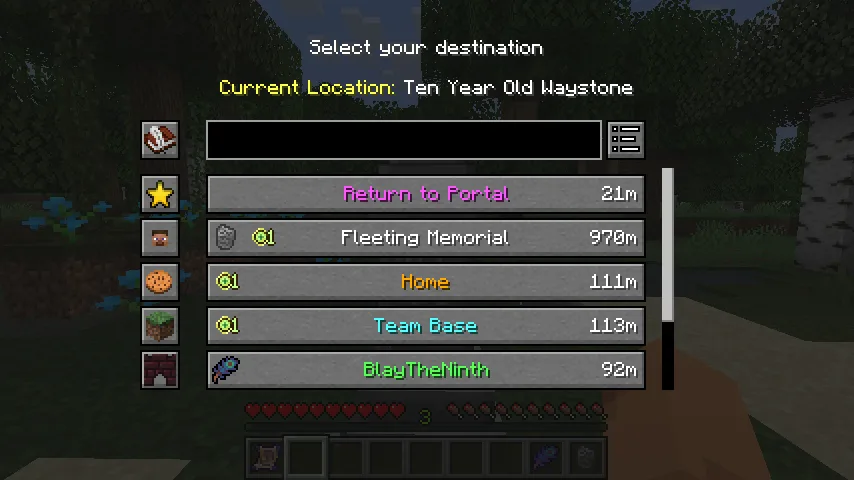
Each waystone must be activated before it can be used. Right-click a waystone to give it a name and add it to the list. After that, any activated waystone opens a destination menu. Choose a location and the player is moved there instantly.
The menu shows every known waystone with its name and distance. Entries can be sorted, so the most important locations stay at the top. Waystones also generate inside villages, which gives players natural travel points across the map.
Scrolls, Warp Stones, and Warp Plates
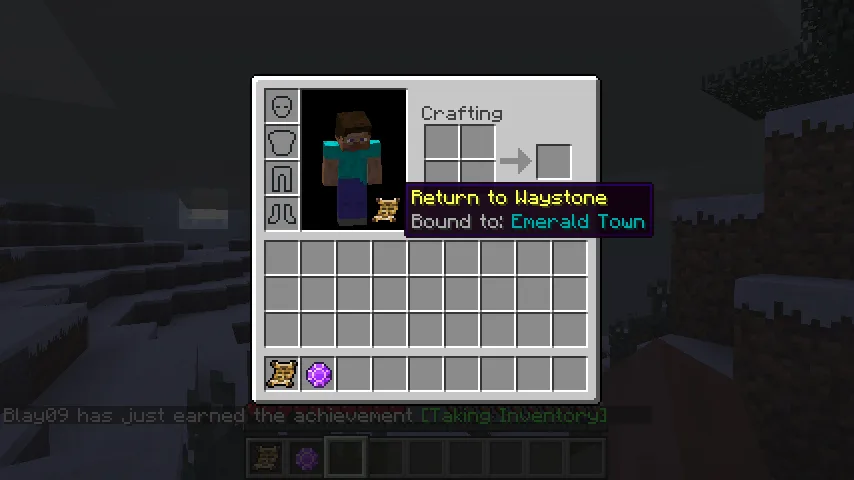
Waystones are not the only way to teleport. A Warp Scroll is a single-use item that sends the player to a chosen waystone from anywhere. A Return Scroll brings the player back to the waystone it is bound to. The Warp Stone works like a reusable scroll and recharges after each use.
Warp Plates link two points without a menu. Step on a plate and the player is sent to the connected plate. This is useful for short routes inside a base or between nearby buildings.
Options for Servers and Shared Worlds
A waystone can be set as global, which makes it available to every player on the server. This is a simple way to build a shared spawn hub or connect community areas. An optional button in the inventory screen can allow teleporting without any extra items.
Server owners can change the cost of travel through the configuration file. Teleports can require experience levels, have a cooldown, or be limited by distance and dimension. This makes Waystones a balanced alternative to /home and /warp commands.
Required Library
Waystones needs Balm installed alongside it on every Minecraft version. On Minecraft 26.1 and newer, Shogi is also required. Fabric players also need Fabric API. The mod must be installed on both the client and the server.
Screenshots
How to Install Waystones
- Download Waystones for your Minecraft version and mod loader.
- Download the matching version of Balm, and Shogi for Minecraft 26.2.
- Move all downloaded JAR files into the mods folder.
- Launch Minecraft and craft a waystone to start your travel network.