Reese’s Sodium Options replaces Sodium’s standard settings screen with a more compact and organized interface. It does not add new graphics settings or improve FPS by itself; its purpose is to make existing options easier to find and manage.
A More Convenient Sodium Settings Menu
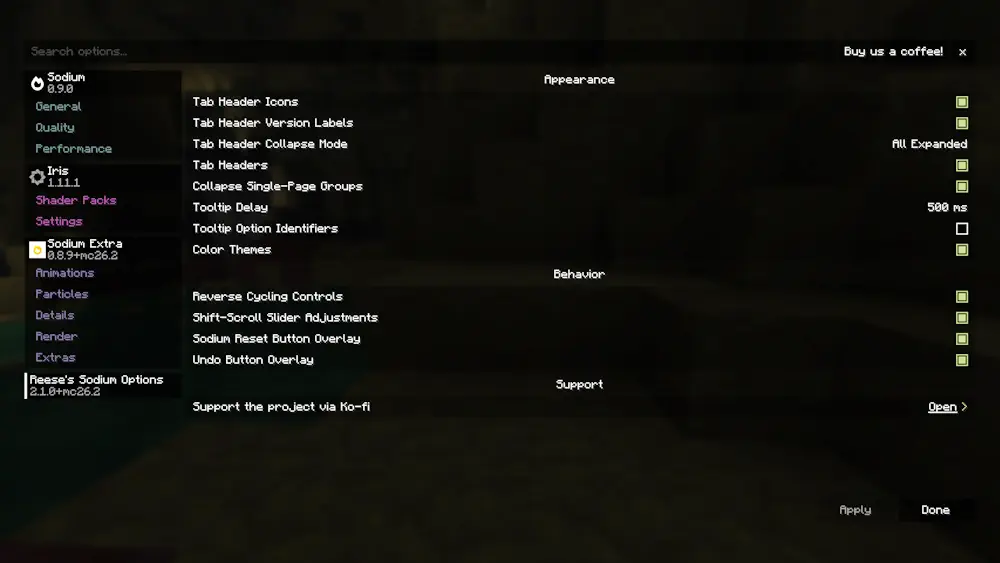
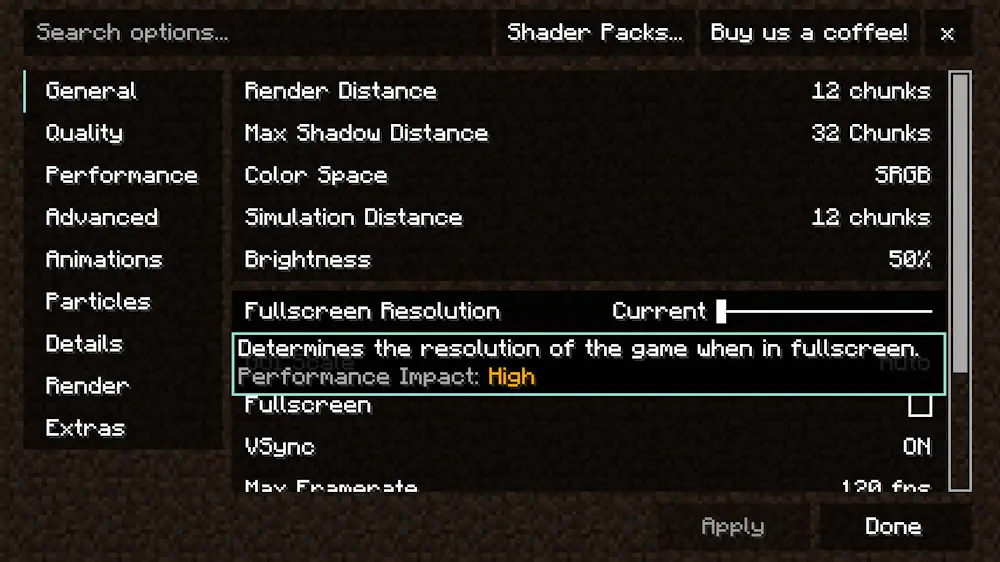
Settings are divided between scrollable vertical tabs and grouped pages. A search bar can locate specific options without checking every section, while collapsible groups keep pages from becoming crowded when other compatible mods add their own controls.
Individual settings can be reset to their default values or returned to their previous state after a change. Other features include adjustable tooltip delay, optional option IDs, color themes, improved keyboard navigation, and more precise slider adjustments by holding Shift while scrolling.
The mod runs entirely on the client and can be disabled from its settings if you prefer Sodium’s original menu. Optional Controlify integration also provides controller navigation and button guides.
Screenshots
How to Install Reese’s Sodium Options
- Download Reese’s Sodium Options and Sodium for your Minecraft version.
- Move both files into the .minecraft/mods folder.
- Launch Minecraft with a supported mod loader.