
Explorer’s Compass helps you find structures without relying on commands or random travel. It can search for both vanilla and modded locations, making it useful when you need a village, dungeon, temple, mansion, or a structure added by another mod.
Craft and Use Explorer’s Compass
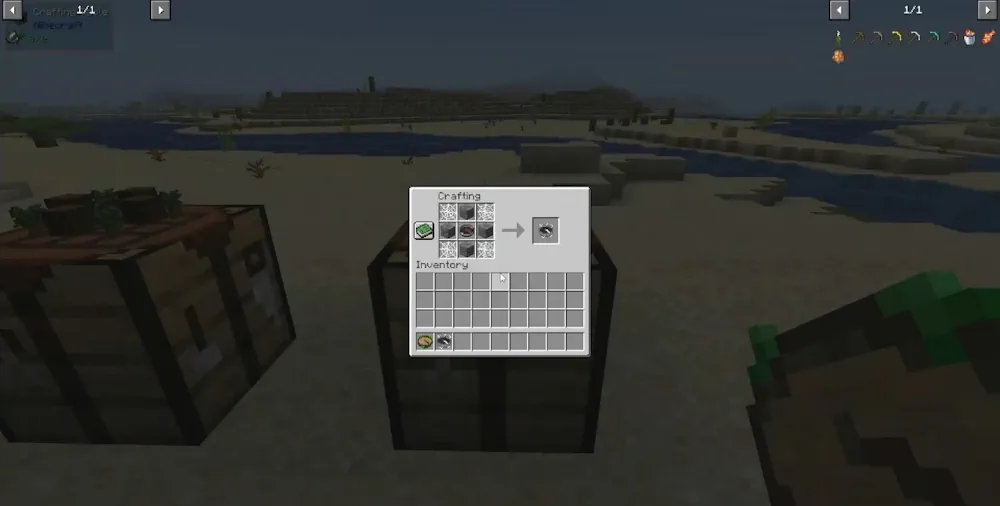
To craft it, place one regular compass in the center of a crafting table. Put four cobwebs in the corners, then place four cracked stone bricks in the remaining top, bottom, left, and right slots. The result is Explorer’s Compass.
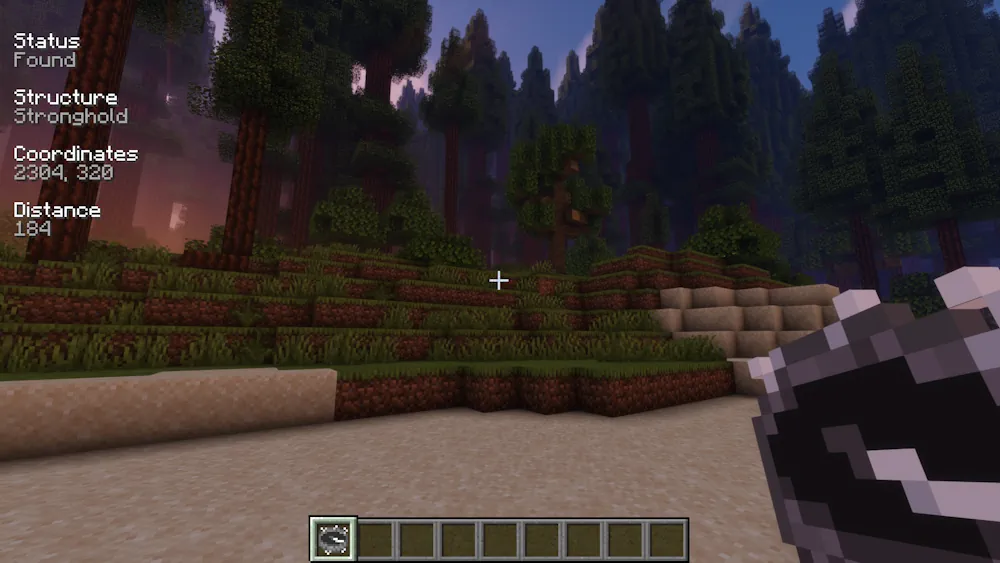
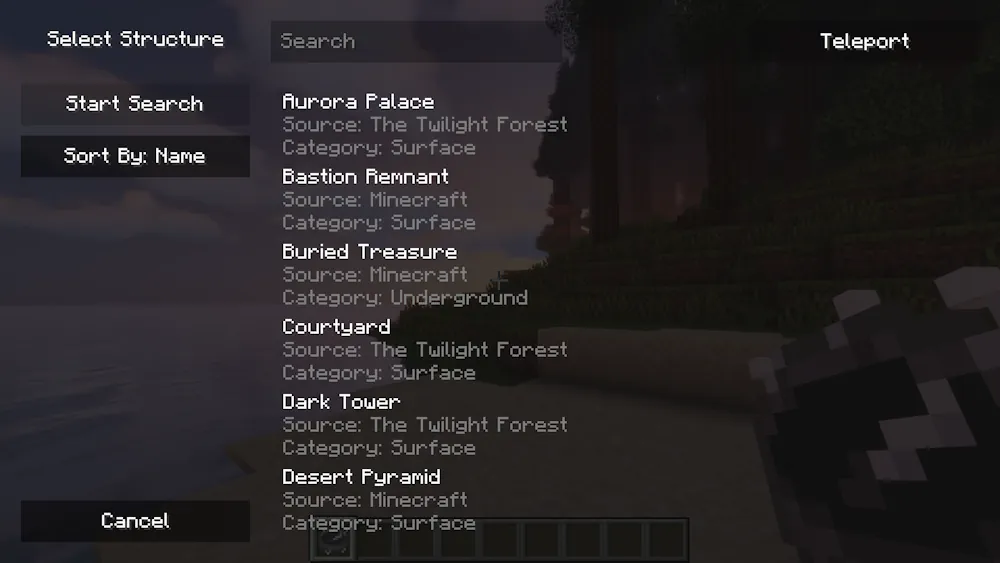
Hold the compass and right-click to open its structure menu. Choose a specific structure or an entire group, then start the search. The compass points toward the selected location, while the HUD shows information about the active search. This gives you a direction to follow instead of making you check maps or travel through the same terrain repeatedly.
The menu supports all registered structures, so it remains useful after adding world-generation mods. Search for a rare building when you need loot, want to begin an adventure, or are looking for a new place to explore. Shift-right-click the compass to clear its current target. When no structure is selected, it points back toward world spawn.
Explorer’s Compass is best used as an exploration tool, not a replacement for the journey itself. You still need to reach the location, deal with what is inside, and find your own way home. It simply removes the empty hours spent searching in the wrong direction.
Screenshots
How to Install Explorer’s Compass
- Download the Explorer’s Compass file for your Minecraft version.
- Move the .jar file into your Minecraft mods folder.
- Launch Minecraft, craft the compass, and select a structure to track.