FramedBlocks expands Minecraft building with customizable blocks in many useful shapes. They can copy the appearance of other materials, allowing detailed structures without changing the main color or texture of a build.
Custom Shapes for Detailed Builds
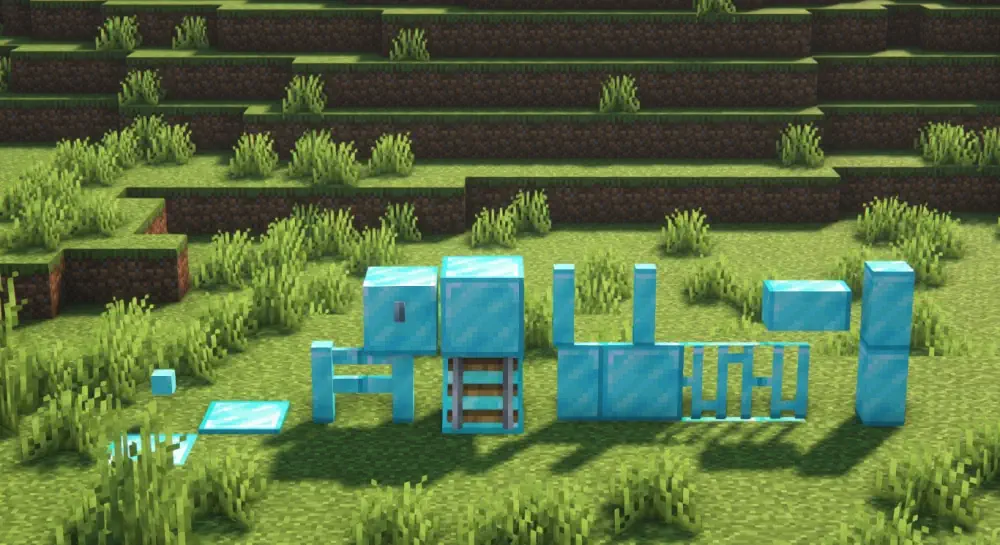
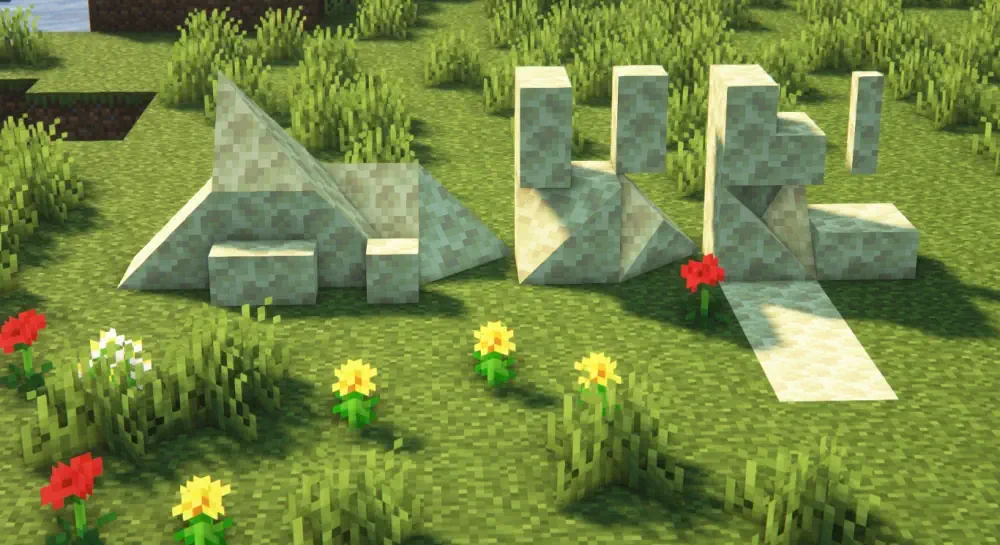
The mod includes slopes, panels, slabs, pillars, corners, stairs, walls, fences, gates, doors, trapdoors, ladders, and many other forms. These pieces make it easier to create smooth roofs, angled walls, decorative supports, and compact details.
Several blocks combine two shapes or materials within the same space. Builders can also use framed rails, flower pots, item frames, chests, buttons, pressure plates, and redstone components. This provides more control over both decoration and function.
Camouflage and Building Tools
Right-click a framed block with almost any solid block to apply its appearance. Some versions also allow fluids to be used as camouflage. Glowstone Dust makes the selected block produce light while keeping its chosen texture.
The Framed Hammer removes camouflage, while the Framed Wrench rotates supported shapes. A blueprint can copy the appearance and glowing state of an existing block. Collapsible blocks offer adjustable corners for creating custom slopes and unusual surfaces that standard Minecraft blocks cannot provide.
Screenshots
How to Install FramedBlocks
- Download FramedBlocks for your Minecraft version and mod loader.
- Move the downloaded files into the .minecraft/mods folder.
- Launch Minecraft.