Mouse Tweaks improves inventory controls and reduces the number of clicks needed to move, collect, or distribute items. Its actions work in crafting grids, chests, furnaces, and most other inventory screens.
Faster Mouse Controls for Inventories
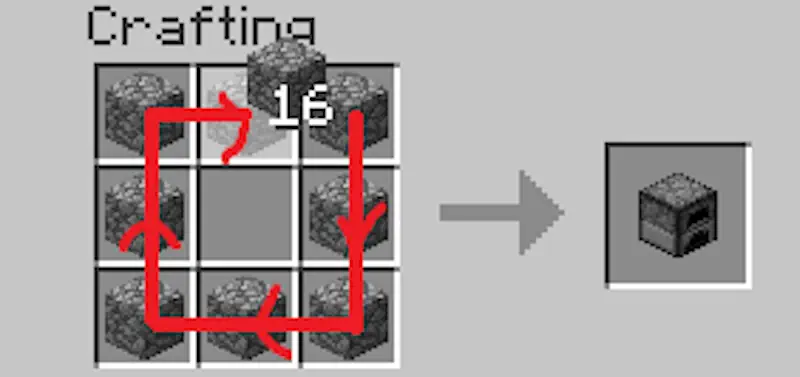
Holding the right mouse button and dragging across several slots places one item into each of them. Unlike the standard control, you can move over the same slot repeatedly to add another item. This is useful when preparing crafting recipes that require several identical ingredients.
When holding an item with the left mouse button, dragging across the inventory collects matching items from the visited slots. Holding Shift during the same action quickly transfers every matching stack between your inventory and an open container.
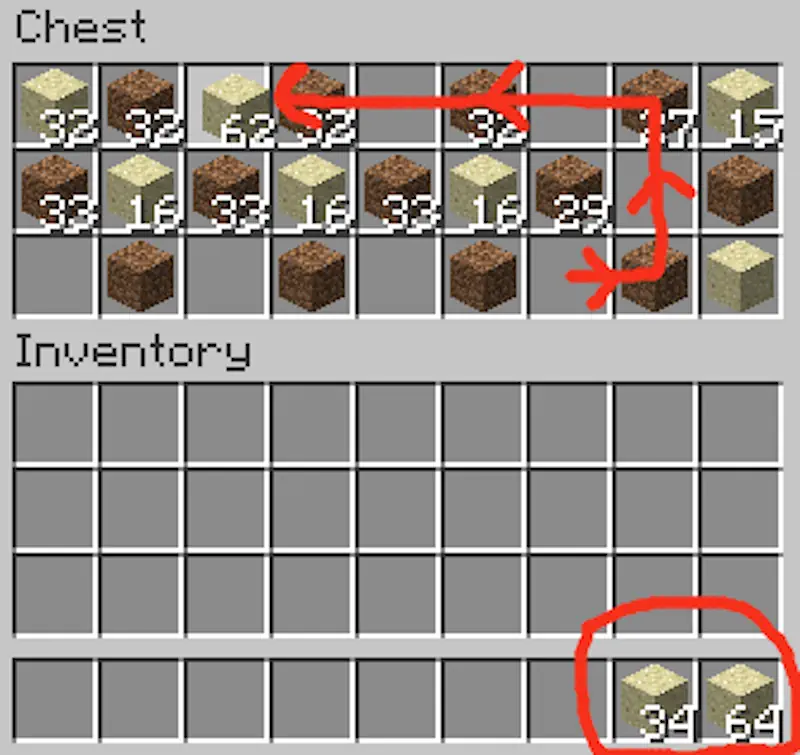
You can also hold Shift and drag with the left mouse button while the cursor is empty. Every stack touched by the cursor will be moved to the opposite inventory, allowing you to unload a chest or organize collected resources without clicking each slot separately.
The mouse wheel provides another transfer method. Scrolling down over a stack moves its items one at a time into the other inventory. Scrolling up pulls matching items back into the selected stack. The direction and search order can be changed through the configuration file if the default behavior feels inconvenient.
Mouse Tweaks keeps the original inventory layout and only changes how the mouse interacts with slots. The controls are simple to learn and become especially useful when sorting large amounts of resources or repeating crafting recipes.
Screenshots
How to Install Mouse Tweaks
- Download Mouse Tweaks for your Minecraft version and mod loader.
- Move the JAR file into the mods folder.
- Launch Minecraft and test the controls in any inventory.