Cobblemon brings Pokemon-style collecting, battles, exploration, and progression into a Minecraft world without separating those systems from normal survival play.
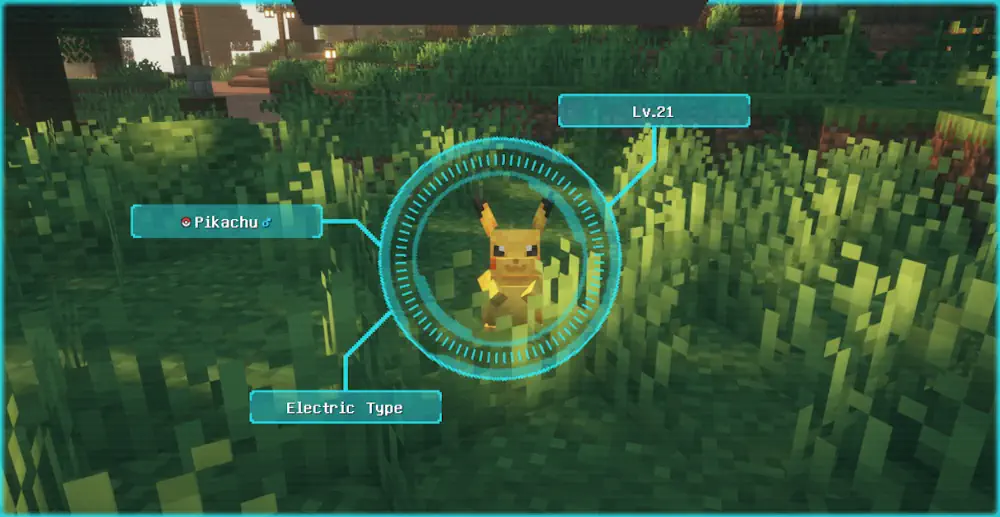
Wild Pokemon appear across the landscape, can be caught for your team, trained through battles, evolved, and recorded in a Pokedex as you discover more of them.
Build a Team and Fight Your Way
Each battle uses mechanics based on Pokemon Showdown, so moves, types, experience, and team choices matter. Defeat wild Pokemon to level up, unlock new moves, and evolve your team when you decide the time is right. You can also relearn moves instead of losing access to older options forever.
Cobblemon lets you keep free movement during battles. You can mine, build, or deal with nearby mobs while a fight is happening, which makes encounters feel less disconnected from Minecraft. The Pokedex includes a scanning feature for analysing wild Pokemon, helping you identify what you have found before trying to catch it.
There are more than 700 Pokemon to find across the world. Some rare creatures need patience, while others appear more often in suitable locations. A captured team can be used for exploration, combat, and building a collection around the Pokémon you actually like rather than only the strongest choices.
Fossils, Berries, and Places to Discover
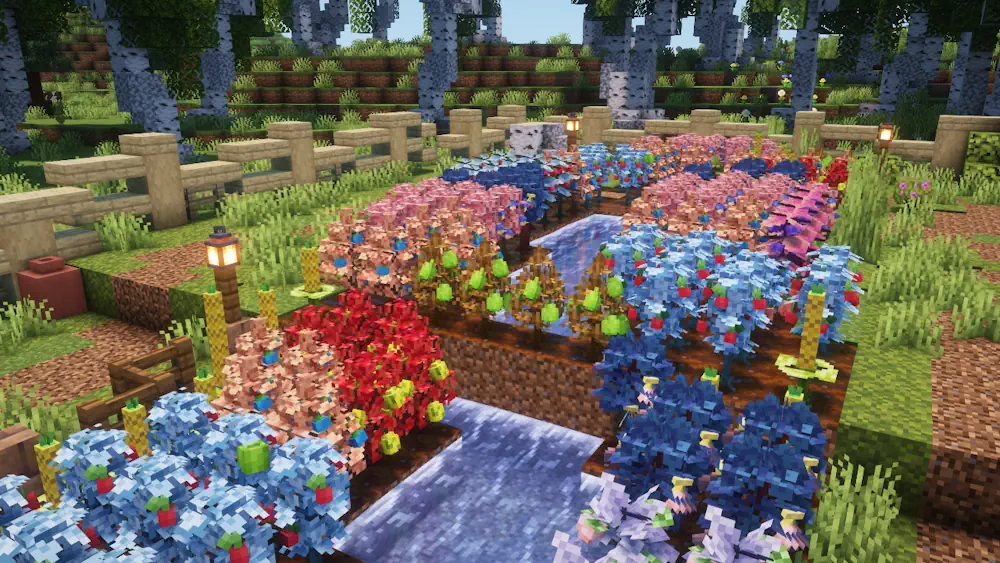
Pastures allow your Pokemon to roam around a chosen area instead of staying hidden in storage. You can build a farm around them, collect berries, and cross-breed berry plants to create new varieties. Crops and berries can also be placed in a brewing stand to make stronger healing medicine.
Exploration has its own rewards. Search suspicious gravel and sand for fossils, then revive them with a resurrection machine to obtain ancient Pokemon. The world also includes old structures, secret trials, and gilded chests with useful loot.
Cobblemon is still actively developed, so new content and improvements continue to appear over time. Its core loop already gives Minecraft survival a clear goal: explore a biome, find a new Pokemon, improve your team, and decide where to search next.
Screenshots


How to Install Cobblemon
- Download the Cobblemon file for your Minecraft version.
- Move the .jar file into the Minecraft mods folder.
- Launch the game and create or open a world.
- Explore the area, find wild Pokemon, and begin filling your Pokedex.