Lithium improves the part of Minecraft that keeps the world running: mob behavior, physics, block updates, and other game logic. It is most useful when a save begins to feel heavy around large farms, busy bases, redstone systems, or areas with many mobs.
What Lithium Improves
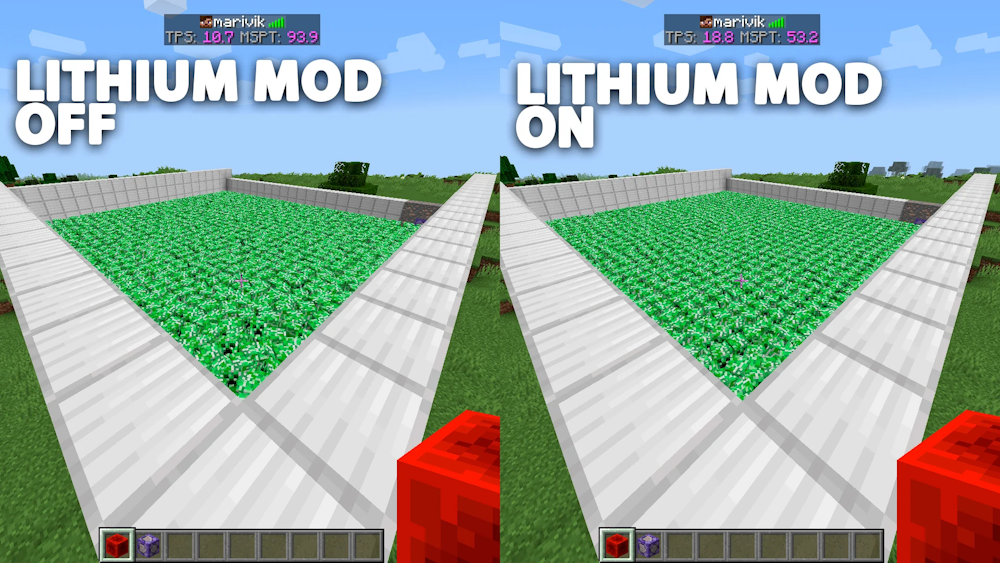
The mod optimizes game logic behind the scenes. Mobs can be processed more efficiently, block ticking takes less processor time, and common physics calculations place less load on the game. The result is smoother world updates and better responsiveness when many things are happening at once.
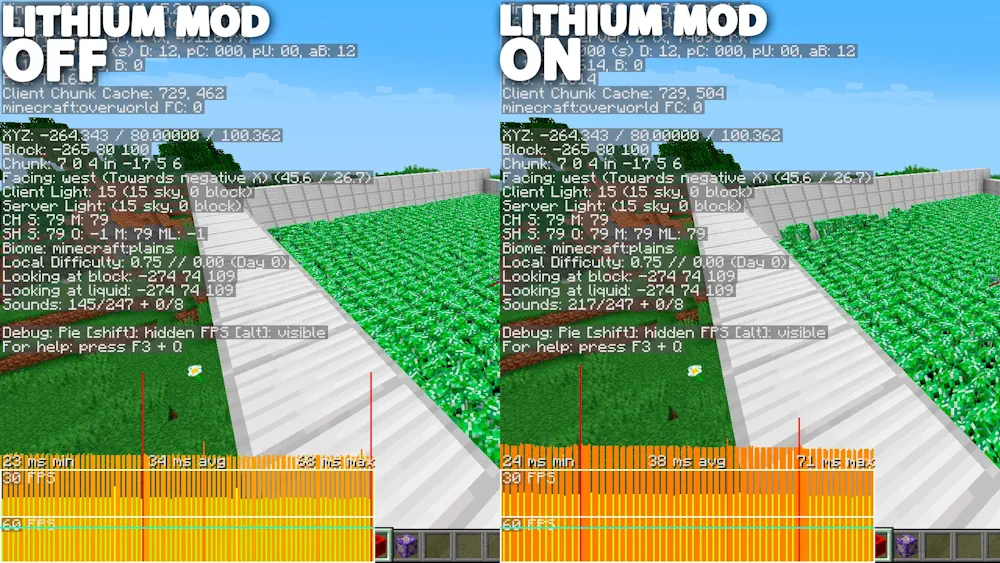
In a normal survival world, this can make mining, travelling, and returning to a developed base feel more stable. In demanding areas, Lithium helps reduce the slowdowns caused by loaded entities and chunks, while freeing more processor time for the rest of Minecraft. Better tick times are the main benefit: the world keeps up with your actions more reliably.
How to Use Lithium
Lithium starts working as soon as you launch the game. You can use it in an existing world, so there is no reason to begin a new save just for performance changes. Play normally and pay attention to places that previously caused stutters, such as animal farms, storage rooms, or large builds.
The default configuration is the best place to start. Lithium includes detailed controls for individual optimizations, but these are mainly useful when checking a specific mod conflict. An empty configuration file means the recommended settings are active.
For a stronger performance setup, Lithium pairs well with Sodium: Sodium improves rendering, while Lithium focuses on the internal simulation of the world. Together, they target different parts of performance without changing the usual Minecraft mechanics.
Screenshots
How to Install Lithium
- Install Fabric Loader for your Minecraft version.
- Download Lithium and move the .jar file to the Minecraft mods folder.
- Launch the game with the Fabric profile. No additional setup is required.